


The Most Common Food Photography Mistakes and How to Avoid Them – A Guide for Everyone
Have you ever prepared a dish that looked straight out of a magazine, only to have it lose all its charm in the photo? If so, you’re not alone. Anyone starting out in food photography has faced similar frustrations. The truth is, even professionals once took unsuccessful shots. Mistakes are a natural and extremely valuable part of learning. This guide is your map: step by step it walks you through the most common pitfalls and shows how to avoid them so your food photos finally look as appetizing as your dishes taste. And remember—if shooting food photos beats you for the day, you can always rely on professional stock images to use in your projects. Let’s begin! Poor lighting – enemy number one of appetizing photos Light in photography is like seasoning in cooking—without it, even the best dish loses flavor. It sets the mood, highlights texture, and brings an image to life. Unfortunately, it’s also the area where mistakes happen most easily. Most common mistakes: Using the camera’s built-in flash: It flattens the image, creates harsh, unflattering shadows, and makes food look artificial and greasy. Shooting in direct sunlight: Strong sun creates hard shadows and blown-out highlights that lose detail. Mixing light sources: Daylight has a different color than household bulbs. Combining them results in odd, unnatural colors. How to fix it? Aim for natural, soft, diffused light. Set your scene near a window but avoid direct sunbeams. If the light is too harsh, soften it with a white curtain, tracing paper, or a diffuser. Shoot with a single light type and control white balance so colors stay true to life. Shooting RAW gives you much more flexibility in post. Cluttered frame and unplanned composition When the dish is the star, it doesn’t need a crowd of extras. Too many props, busy backgrounds, or poorly placed elements distract from what matters. On the flip side, placing the plate dead center often makes the image dull and static. How to fix it? Start with “less is more.” Before you add another fork or napkin, ask whether it tells a story and complements the dish—or just adds chaos. Use the rule of thirds—place the main subject on one of the strong points (where the grid lines intersect). This simple trick instantly adds dynamism. Experiment with backgrounds—often a neutral, plain surface showcases taste and texture better than elaborate scenery. Unnatural colors and over-editing Post-production is powerful—but also a trap. Straight-out-of-camera shots can look flat, but heavy-handed edits can make food look toxic and inedible. Over-saturated colors, excessive sharpening, or strong filters can ruin even a great capture. How to fix it? Edit with restraint. Your goal is to enhance the food’s natural beauty, not reinvent it. Gently increase contrast for depth, lift shadows to reveal detail, and correct white balance if colors aren’t accurate. Avoid maxing out “saturation” and “vibrance.” Work selectively and only boost hues that need it. Wrong angles and perspective – choosing the best point of view Shooting every dish from the same default angle (usually slightly from above) is a common mistake. Not every dish looks good from every angle. A tall cake loses its grandeur in a top-down shot (flat lay), while a pizza shot straight on won’t show its toppings. How to fix it? Experiment! Before settling on the final frame, try several perspectives: Flat lay (top-down, 90 degrees): Great for flat dishes like pizza, soups, oatmeal bowls, or beautifully arranged cheese boards. 45-degree angle: A classic, safe perspective that shows both the contents and height of the dish—works for most plates and bowls. Eye level (0 degrees): Best for tall foods—cakes, burgers, pancake stacks, or tall drinks. It emphasizes layers and height. Lack of sharpness and technical shortcomings A blurry, out-of-focus photo is a guaranteed failure. Even perfect composition and light won’t help if the subject isn’t sharp. Causes include camera shake, too-long shutter speed, or a misplaced focus point. How to fix it? Stabilize the camera: A tripod is your best friend. If you don’t have one, brace the camera/phone against something solid (a stack of books). Focus manually: Don’t rely solely on autofocus. Use manual focus on cameras; on smartphones, tap the spot you want sharp. Use a self-timer: Even pressing the shutter can cause shake. Set a 2-second timer to avoid it. How to grow your skills and stop fearing mistakes? Mastery comes from practice and continuous learning. Don’t get discouraged—analyze failures and learn from them. Surround yourself with inspiration and tap into today’s wealth of knowledge. Where to find knowledge and inspiration? Online courses: Education platforms offer excellent classes led by masters. Look for courses by recognized creators and check reviews before buying. Books and e-books: Treasure troves of insight. Titles like “Plate to Pixel” by Hélène Dujardin or “Food Photography: From Snapshots to Great Shots” by Nicole S. Young are classics every enthusiast should know. Blogs and communities: Follow creators whose style you admire. Blogs are great places where authors share experience and review learning resources. Guide summary Food photography is a journey, not a race. Every mistake is a lesson that brings you closer to your goal. Don’t compare your beginnings to someone else’s highlight reel. Focus on one area at a time—work on light today, composition tomorrow. Pick up your camera or phone, experiment, have fun, and most importantly—keep trying. Your next photo will be better than the last!

What Is Food Photography? Definition, Techniques and Inspiration
We’ve all been there — scrolling through social media and suddenly stumbling upon a photo that makes us hungry, even right after a meal. That’s the magic of food photography – the art of turning food into a visual feast that awakens appetite and tells stories without words. It’s much more than just snapping pictures of food. It’s a discipline that blends a love for cooking, an eye for aesthetics, and technical photographic skills. Below is a short dive into this delicious world and what makes it so captivating. What Exactly Is Food Photography? Most people associate it with Instagram – and rightly so – but that’s only the tip of the iceberg. Food photography is a specialized field focused on creating attractive, evocative images of food. Its goal is to make dishes look as appetizing as possible, highlighting texture, color, and freshness. It’s a “visual recipe for appetite,” used in cookbooks, restaurant menus, advertising campaigns, and online — where every image competes for the viewer’s attention. Key Elements That Make a Mouthwatering Photo Creating a shot that makes your mouth water requires understanding a few essential principles. These are what separate professional photography from a random picture of a plate. Light – The Soul of Every Photo Light is the most important ingredient in food photography. It shapes the dish, reveals its texture, and adds life. The best choice is soft, diffused natural light coming from the side or back, as it creates gentle shadows and depth. Avoid harsh sunlight or built-in flash — they flatten the image and produce unwanted reflections. When natural light is scarce, even a simple white cardboard reflector can brighten the shadows. Set the light direction from the side or at a 45° angle. Use diffusers or reflectors to soften contrast. Adjust white balance according to the mood of the dish. Composition and Framing – Telling a Story The way you arrange the elements matters enormously. Instead of placing everything in the center, try applying the rule of thirds — positioning the main subject where the lines intersect adds dynamism. Also experiment with perspective: flat-lay shots (from above) work great for dishes with interesting layouts, like pizzas or salads, while shots taken from about 45° highlight height and layers – think cakes or burgers. Pick an angle that fits the food – top view, 45°, or eye-level. Keep the scene clean — every object should serve a purpose. Maintain color harmony between background and props. Food Styling – More Than Just Food Food styling is about crafting the whole scene around the dish. The choice of plates, background, cutlery, and small details (fresh herbs, scattered spices) helps set the mood and tell a story. The goal is to enhance the food’s character, not distract from it – less is often more. Work with fresh ingredients and serve just before shooting. Mix textures: matte ceramics, natural fabrics, raw wood. Keep the frame neat – a “controlled mess” looks most natural. Depth of Field – Focus on What Matters On many professional photos, only part of the dish is perfectly sharp while the rest is pleasantly blurred. That’s the effect of a shallow depth of field (wide aperture), which draws the eye to the most appetizing detail – a slice of cake or a juicy piece of meat – and gives the shot a cinematic feel. Adjust aperture according to your distance and lens type. Focus on the most mouthwatering element. Use a tripod for precision and stability. If you’re not yet confident in your photography skills, try using stock images from our collection — available individually or in bundles, so you don’t have to worry about quality. How to Start Your Food Photography Journey Good news: you don’t need expensive gear to begin. Start with what you already have. Practice on simple dishes — photogenic foods like salads, fruits, and cakes. Use natural light — shoot during the day, near a window. Build your portfolio — practice regularly, analyze your shots, and develop your visual style. Upgrade gear over time — consider a camera with interchangeable lenses and a bright 50mm f/1.8 lens; use a tripod for stability. Trends and Inspirations Worth Following Food photography keeps evolving. The current trends include: Natural and authentic looks — minimal editing and acceptance of “imperfections” like crumbs or sauce marks. Minimalism — simple compositions, muted backgrounds, the dish as the hero. Storytelling — shots that capture the process and atmosphere. Smart use of resources — stock photos or textures for backgrounds and supporting visuals with clear licensing. Get inspired by following professional creators, but always aim to develop your own recognizable style. Your Culinary Story Awaits Food photography is a journey that blends a love of food with the art of storytelling. It takes patience, practice, and curiosity — but it’s open to anyone passionate about creativity. Grab your camera (or phone), cook something delicious, and start capturing your own mouthwatering moments.
How to creatively use stock images in Reels and Shorts
Short-form videos like Instagram Reels and YouTube Shorts are one of the hottest content formats today. But to make your videos stand out, you need strong visuals - and premium stock images can help. In this article, we’ll explore creative ways to use stock images in your Reels and Shorts content. Why use stock images in Reels and Shorts? With fast-paced video formats, adding high-quality stock images helps: Break up video flow with visual accents Support storytelling elements Add mood and atmosphere Create engaging intros and transitions Boost professionalism and style Creative ideas for using stock images in Reels and Shorts 1. Scene setters Use AI stock images or curated stock images as visual scene setters at the start of your video. This draws viewers in and establishes a tone for what’s to come. 2. Transitions and visual breaks Break up your main footage with stock images: Use abstract or minimalist images for pacing Insert lifestyle shots to add variety Use thematic images tied to your content (e.g., food, travel, memes) 3. Visual storytelling Tell more with visuals. Insert stock images to: Show emotion through expressive people images Highlight key locations or objects Bring a narrative element to your video 4. CTA frames and branding Don’t forget your CTA! Use stock images to create eye-catching end frames that encourage: Following your profile Visiting a website Engaging with your brand Combine stock images with bold text and animation for maximum impact. 5. Product highlights If you’re showcasing products or services, use supporting premium stock images to: Reinforce lifestyle positioning Show aspirational imagery Build mood around your offering Tips for seamless integration For a polished look: Maintain consistent color grading across video and images Use subtle motion (zoom, pan) on static images Balance image duration to keep pacing dynamic Choose high-quality curated images from One Dollar Stock™ to avoid the stocky feel Elevate your Reels and Shorts Stock images are a powerful tool for enhancing your short-form videos. From creative storytelling to polished branding, premium stock images from One Dollar Stock™ help you create videos that grab attention and keep viewers coming back.

10 inspiring examples of using stock images
Stock images are more than just filler visuals - they can transform your designs, marketing, and storytelling when used creatively. In this article, we’ll share 10 inspiring examples of how brands, creators, and designers are using premium stock images to elevate their work. Why stock images matter High-quality stock images help you: Build emotional connections Enhance visual storytelling Support brand positioning Save time and resources on content creation Maintain a professional and polished look 10 inspiring ways to use stock images 1. Hero banners on landing pages Use bold, eye-catching stock images to create impactful landing page hero banners. Choose visuals that match your product or brand values to drive conversions. 2. Backgrounds for reels and stories Creators often use ai stock images or curated stock images as dynamic backgrounds for short-form video content - adding mood and style. 3. Podcast cover art Podcasters use premium stock images to design standout cover art that attracts listeners and conveys their show’s vibe. 4. E-book covers and layouts Authors and marketers enhance e-books with carefully selected stock images - from polished covers to mood-setting chapter visuals. 5. Brand storytelling on social media Brands use people stock images to create relatable, human-centric social media content that resonates emotionally with their audience. 6. Visual accents in explainer videos Incorporate stock images into explainer videos to illustrate concepts and maintain viewer engagement. Add humor and personality with thematic images like memes or food and drinks. 7. Moodboards for client presentations Designers build compelling moodboards using curated stock images - helping clients visualize aesthetic directions for projects. 8. Email marketing visuals Enhance newsletters and email campaigns with thematic stock images that support your messaging and grab attention in crowded inboxes. 9. YouTube thumbnails Boost YouTube video click-through rates with professional, on-brand thumbnails created using premium stock images combined with custom text and graphics. 10. Branded merch designs Merchants and creators leverage stock images (with appropriate licenses) to design products such as posters, apparel, and mugs - adding visual impact and storytelling elements to merch. Inspire your next project These examples show just how versatile and powerful stock images can be when used thoughtfully. Whether you’re a designer, creator, or marketer, premium stock images from One Dollar Stock™ can help you bring your ideas to life.

How to build a consistent visual branding on Instagram with stock images
Instagram is a visual-first platform and your profile’s visual branding can make or break your presence. A cohesive aesthetic helps you attract followers, communicate your brand’s personality, and stand out in a crowded feed. In this article, we’ll show you how to use premium stock images to build a consistent visual branding on Instagram. Why visual consistency matters Brands and creators with a strong, cohesive visual style tend to: Attract more engaged followers Build stronger brand recognition Increase content shareability Drive higher conversion rates from social traffic Stock images when used strategically can help you maintain a unified look and feel across your Instagram profile. How to define your visual style Before selecting stock images, define your brand’s visual identity: Choose a consistent color palette Decide on preferred photo styles (light and airy, dark and moody, vintage, minimalist, etc.) Establish your brand tone (playful, professional, elegant, bold) Tip: Create a visual moodboard using curated stock images to guide your content choices. Choosing the right stock images When selecting stock images for Instagram: Favor images that align with your color palette and tone Mix people-focused images with lifestyle and flat-lay shots Use AI stock images or abstract images to create visual variety without breaking consistency Avoid cliché or overly "stocky" images opt for authentic, curated visuals How to maintain consistency across posts To keep your Instagram grid visually cohesive: Edit all images using the same presets or filters Stick to a limited set of image sources - such as One Dollar Stock™ curated collections Plan your feed in advance using tools like Later or Planoly Maintain balance between different types of images (people, objects, backgrounds) Tips for specific Instagram content types Feed posts For your main feed, choose stock images that reinforce your brand identity and evoke the desired emotional response from your audience. Stories Use AI stock images or abstract visuals as story backgrounds or to add texture to interactive content. Reels and video covers Enhance your video covers with premium stock images combined with branded typography and graphics. Conclusion - create an Instagram that stands out A consistent visual brand on Instagram helps you connect with your audience and strengthen your identity. With the right premium stock images from One Dollar Stock™, you can build an Instagram presence that looks professional, cohesive, and uniquely yours - without breaking your content budget.

How designers using Framer / Webflow can quickly build moodboards and concepts with One Dollar Stock™
When building websites with modern tools like Framer or Webflow, visual design concepts matter just as much as technical implementation. A strong moodboard helps you set the creative direction, inspire your client, and speed up the design process. In this article, we’ll show how you can quickly build moodboards and concepts using premium stock images from One Dollar Stock™. Why moodboards are essential in web design Before diving into prototyping or development, a moodboard helps you: Align on visual tone and style with the client Experiment with colors, imagery, and typography Communicate abstract ideas visually Reduce revisions later in the project That’s why many web designers consider moodboards an indispensable part of their process. Why use stock images for moodboards? Creating a moodboard from scratch is time-consuming. Using AI stock images and curated stock images allows you to quickly: Source diverse visual elements Test multiple creative directions Find niche imagery not available in client assets Stay on-brand while exploring new styles How to build a moodboard with One Dollar Stock™ 1. Define your creative direction Start by determining: Color palette(s) Visual tone (light, dark, muted, vibrant) Image style (photorealistic, abstract, minimal, maximalist) 2. Source relevant stock images Browse collections on One Dollar Stock™: For bold, modern design → abstract stock images For human-centered brands → people stock images For lifestyle-oriented brands → food and drinks, travel and landscapes For tech startups → AI-generated visuals 3. Assemble the moodboard Use tools like Figma, Canva, or Framer canvas to arrange your images: Mix stock images with color swatches and typography samples Include both large hero-style images and supporting textures Test multiple variants and layouts quickly Example moodboard flow for Webflow / Framer Hero image concept (one strong, engaging visual) Typography pairing ideas Background textures or abstract overlays People imagery to set emotional tone Accent visuals (product shots, lifestyle imagery) Tip: Keep the number of images balanced — too many can dilute the concept. Design smarter with stock images Using premium stock images from One Dollar Stock™ in your Framer or Webflow workflow helps you save time, impress clients, and explore creative directions faster. Instead of endlessly searching for assets, you can focus on what matters — building beautiful, effective websites.

How to quickly create professional podcast covers with stock images
Your podcast cover is the first thing potential listeners see, it’s your show’s visual handshake. A well-designed cover can attract new listeners, convey your brand personality, and build recognition across platforms. In this article, we’ll show you how to quickly create professional podcast covers using premium stock images from One Dollar Stock™. Why your podcast cover matters A podcast cover influences: Whether users click "play" when browsing How your show is perceived (professional, fun, niche, premium, etc.) Brand consistency across podcast platforms and social media Stock images help you create stunning visuals even if you don’t have the budget for a custom photoshoot. Elements of a great podcast cover According to platform guidelines and best practices, a good podcast cover should: Have a clear focal point Include legible text (especially on mobile) Feature high-contrast design for visibility in small sizes Convey the tone of your podcast at a glance How to choose the right stock images Start by defining your show’s personality and niche. Then browse premium stock images to find visuals that match: For business, tech, or education podcasts → abstract stock images, AI-generated visuals For lifestyle, wellness, or personal growth podcasts → people-focused images, travel and landscapes For entertainment or comedy podcasts → bold, colorful images or quirky funny memes Tip: Use curated stock images to ensure visual quality and avoid generic-looking designs. Designing your podcast cover Follow these simple steps: Choose your core background image from One Dollar Stock™ Add your podcast name in a bold, easy-to-read font Layer additional elements (icons, textures) if needed Test readability at small sizes (platform thumbnails) Use tools like Canva, Photoshop, or Figma to quickly assemble your design, no advanced design skills required. Tips for standing out Stick to one focal image + text, avoid visual clutter Ensure color contrast between text and background Consider adding a subtle frame or border to help your cover pop in podcast directories Use high-resolution stock images to ensure your design looks sharp on all devices Create covers that attract listeners With the right premium stock images from One Dollar Stock™, you can create professional podcast covers that elevate your show’s visual identity without spending days on design or breaking your budget.

How to create effective graphics for social media with One Dollar Stock™
In today’s fast-scrolling feeds, eye-catching visuals are key to standing out on social media. Whether you’re posting on Instagram, Facebook, TikTok, LinkedIn, or Pinterest, great visuals drive engagement. In this article, we’ll show you how to create effective social media graphics using premium stock images from One Dollar Stock™. Why stock images are great for social media High-quality stock images help you: Maintain visual consistency across platforms Communicate messages quickly and clearly Increase post engagement rates Save time when producing content at scale Test different creative approaches affordably How to choose the right stock images for your brand Start with a clear understanding of your brand’s visual style. Then browse curated stock images and AI stock images to match: For lifestyle brands → people stock images, food and drinks, travel and landscapes For tech and innovation → abstract stock images, AI-generated visuals For entertainment and humor → funny memes Tip: Stay consistent with color palettes and image tone to build visual brand recognition across your posts. Types of social media graphics you can create 1. Quote graphics Pair inspiring or educational quotes with strong background images from One Dollar Stock™. Use bold typography and simple design for maximum impact. 2. Product highlights Showcase products or services by layering product images over relevant lifestyle stock backgrounds. Example: place skincare products over a calming abstract background. 3. Carousel posts Use a sequence of stock images to tell a story across a carousel post on Instagram or LinkedIn. Mix image types (people, objects, textures) for visual interest. 4. Event announcements Promote events with people-focused stock images that evoke energy and human connection. 5. Educational content Break down complex topics with infographic-style posts that incorporate relevant AI stock images and icons. Design tips for effective social media graphics Use a clear hierarchy - your key message should be instantly understandable Maintain strong color contrast between text and background Stick to a simple, bold font pairing Leave sufficient white space for a clean look Test designs across desktop and mobile views Build scroll-stopping social content Effective social media graphics help you capture attention, tell your brand story, and drive engagement. With premium stock images from One Dollar Stock™, you can create standout visuals quickly without exhausting your content budget.

How to build high-converting landing pages with stock images
A great landing page does more than look good it drives action. But too often, poorly chosen visuals dilute your message or fail to connect with your audience. In this article, we’ll show you how to use premium stock images from One Dollar Stock™ to build landing pages that convert visitors into leads and customers. Why visuals matter on landing pages Landing pages have one primary goal: conversion. The right visuals can: Build trust and credibility Support and enhance your value proposition Guide users’ attention toward the CTA Reinforce emotional connections with your audience But mismatched or low-quality images can do the opposite confuse, distract, or erode trust. How to choose stock images for high-converting landing pages Start by clearly defining your target audience and conversion goal. Then browse premium stock images that match the tone and expectations of your ideal visitor: For professional services → clean, confident people stock images For e-commerce → lifestyle imagery that showcases product use cases For tech startups → abstract stock images and AI-generated visuals that convey innovation For travel or experiences → travel and landscapes Where to use stock images on your landing page 1. Hero section Your hero image is your landing page’s first impression. Use a bold, relevant visual that: Supports your headline Evokes the desired emotion Directs attention toward your primary CTA 2. Feature sections Break up text-heavy sections with complementary stock images that illustrate key features or benefits. Use consistent visual style and tone across these sections. 3. Testimonials and social proof Add authenticity by pairing testimonials with people stock images that represent your target audience, helping visitors visualize themselves as happy customers. 4. CTA banners Reinforce your call-to-action by using background images that subtly support the message without overpowering the CTA text. Best practices for stock images on landing pages Optimize images for fast loading times (use compressed formats) Maintain visual consistency across all images on the page Test images for performance different visuals can impact conversion rates Avoid cliché or generic stock imagery use curated stock images to ensure authenticity and quality Examples of effective landing page visuals Minimalist abstract images behind CTAs Warm, human people imagery in hero sections Atmospheric travel photography for experience-based offers Modern AI visuals to convey innovation Drive more conversions with better visuals Thoughtfully selected stock images can dramatically improve your landing page performance. With premium stock images from One Dollar Stock™, you can elevate your designs, connect with your audience, and guide more visitors toward action all without blowing your budget.
How to select stock images for e-books, lead magnets, and online courses
Strong visuals can elevate any digital product whether it’s an e-book, a lead magnet, or an online course. The right stock images help communicate your message, enhance your brand, and create a more engaging experience for your audience. In this article, we’ll show you how to select the perfect premium stock images from One Dollar Stock™ to enhance your digital products. Why visuals matter in digital products Effective use of images in digital products can: Increase perceived value and professionalism Break up long text sections and improve readability Reinforce brand identity and tone Support visual learning and retention Drive engagement and completion rates for courses With premium stock images, you can achieve all this without investing in expensive custom photography. How to choose stock images for e-books When selecting images for e-books: Align visuals with your brand’s tone and style Use abstract stock images for chapter openers and backgrounds Feature people images when telling human-centered stories Enhance diagrams and infographics with subtle visual accents Use high-resolution images to maintain quality in print versions (if applicable) How to select stock images for lead magnets Lead magnets such as checklists, guides, and templates should look polished and professional. Great stock images can: Draw attention to CTA sections Make covers more visually appealing Support key messages and positioning Help differentiate your lead magnet from others in your niche For strong impact: Use bold, simple abstract images for backgrounds Incorporate AI stock images for modern, tech-savvy audiences Add human elements with people stock images that reflect your ideal customer profile Choosing stock images for online courses In online courses, visuals can drive learner engagement: Use AI stock images to illustrate concepts and ideas Include people-focused images to create emotional resonance and relatability Break up content with food and drinks or travel images to add visual variety Reinforce key points with visual metaphors or conceptual imagery Tips for using stock images effectively in digital products Maintain visual consistency across all images in the product Optimize images for fast loading (especially for online courses) Use images to support not overwhelm your content Stay aligned with your brand’s color palette and style guidelines Source images from curated collections to avoid cliché or overused visuals Elevate your digital products with better visuals Stock images can transform e-books, lead magnets, and online courses from bland to brilliant. With premium stock images from One Dollar Stock™, you can add depth, professionalism, and emotional impact to your digital products all while keeping production fast and affordable.
Why One Dollar Stock™ is a better choice than free stock sites?
Free stock photo sites can seem tempting when you’re trying to save money. But in reality, using free images often comes with hidden costs - poor quality, legal risks, and lack of uniqueness. In this article, we’ll show why choosing premium stock images from One Dollar Stock™ is a smarter investment for creators, designers, and businesses alike. 1. Quality you can count on Free stock sites are often flooded with: Low-quality or outdated images Inconsistent styles and aesthetics Overused visuals that appear on countless other websites At One Dollar Stock™, every image is carefully curated to ensure: High resolution and professional composition Consistency across collections for building brand identity Fresh, modern visual styles that stand out 2. Clear and safe licensing Many free stock sites offer unclear or inconsistent licensing terms. Some require attribution, others restrict commercial use, and many expose you to potential copyright claims. At One Dollar Stock™, we offer clear licenses designed for creators: No attribution required Commercial use allowed (with proper license) Peace of mind every image is vetted for safe use 3. Affordable access to premium images With free stock sites, you get what you pay for which is often not enough for professional projects. Premium stock agencies can cost hundreds of dollars per image or subscription. One Dollar Stock™ bridges the gap: From just $1 per image → a fraction of premium stock prices Access AI stock images, abstract images, people stock images, and more No subscription required, buy only what you need 4. Unique content for a competitive edge Free stock images are often overused, making your brand look generic. At One Dollar Stock™ you can access: Curated collections with unique, trending visuals New AI-generated stock images created specifically for modern visual needs Less likelihood of finding your visuals duplicated on competitor sites 5. Designed for creators, by creators One Dollar Stock™ was built for creators, designers, and businesses who value: High-quality visuals Transparent licensing Fast, affordable access Whether you’re designing a website, building a brand, launching a campaign, or creating social media content, we provide the images you need to succeed. Stop settling for free, go premium for less Free stock sites have their place, but when quality, uniqueness, and peace of mind matter - One Dollar Stock™ is the better choice. Explore premium stock images starting from just $1 and level up your creative projects today.

What is the Creator Commerce License and when should you use it?
Not all stock image licenses are created equal. If you’re selling products that feature stock images on merchandise, prints, or digital goods, you need the right license to do so legally and confidently. In this article, we’ll explain what the Creator Commerce License from One Dollar Stock™ covers, who it’s for, and when you should use it. What is the Creator Commerce License? The Creator Commerce License is designed for creators, makers, and businesses who want to use stock images to create products for resale. It allows you to: Use stock images on physical products for sale (e.g. t-shirts, mugs, posters) Include stock images in digital products for sale (e.g. e-books, templates, paid downloads) Print stock images on packaging or promotional materials for products This license goes beyond the scope of a standard commercial license, which typically excludes products intended for resale. When should you use the Creator Commerce License? You should choose this license if you plan to: Sell merchandise featuring stock images (print-on-demand or bulk) Use images in paid digital downloads (templates, planners, e-books, etc.) Create artwork or prints for sale using stock images Offer designs featuring stock images on marketplaces like Etsy, Redbubble, Gumroad, Shopify, etc. For all of these use cases, One Dollar Stock™’s Creator Commerce License ensures that your usage is covered giving you legal clarity and peace of mind. What’s not allowed (even with the Creator Commerce License)? Even under this license, some restrictions still apply: You may not resell the stock image itself as a stand-alone file You may not offer the image as part of another stock product or resource pack You may not falsely claim ownership of the original stock image In short you must add value. Using stock images as part of a broader product or design is fine; selling the image by itself is not. How the Creator Commerce License compares to other licenses At One Dollar Stock™, we offer several license options: Personal License → for personal, non-commercial projects Commercial License → for business/commercial use (but not for resale products) Creator Commerce License → for creating products to sell featuring stock images Corporate License → for large companies with extended usage needs If you plan to sell physical or digital products, choose the Creator Commerce License. How to get the Creator Commerce License Getting this license is simple: Browse premium stock images on One Dollar Stock™ Select your images and choose the Creator Commerce License option at checkout Download and start creating your products with full clarity on usage rights Empower your creative business If you’re building a creative business that sells products featuring stock images, the Creator Commerce License gives you the freedom and flexibility to do so legally and confidently. Explore premium stock images on One Dollar Stock™ and start creating today.
10 types of stock images that always sell well
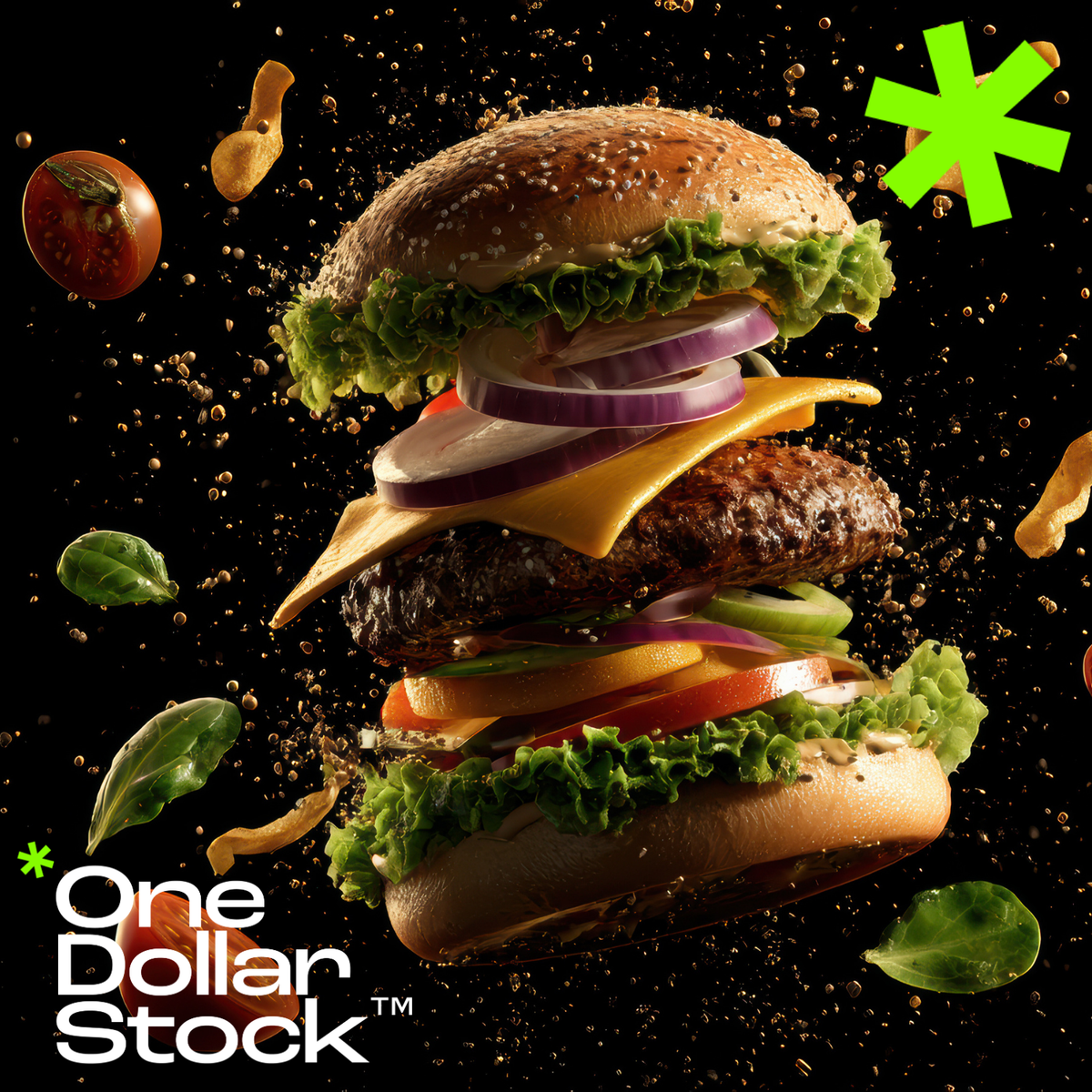
Not all stock images perform equally well. If you want to create content that stands out or if you’re a creator choosing images for your products - knowing what sells is key. In this article, we’ll share 10 types of premium stock images that consistently sell well on One Dollar Stock™ and across the industry. 1. Authentic people photography People stock images remain one of the top-selling categories. Brands and designers seek images that: Feel authentic and relatable Represent diverse backgrounds and demographics Convey real emotions and connections Tip: opt for natural, candid imagery over staged or posed stock photos. 2. Lifestyle and wellness Lifestyle visuals consistently drive sales, especially for: Fitness brands Beauty and wellness products Self-care and mental health content Browse our curated staff picks for high-converting lifestyle imagery. 3. Food and drinks Food and drinks stock images are essential for: Restaurants and food blogs Recipe books and cooking channels Social media content for lifestyle brands Fresh, vibrant imagery sells best in this category. 4. Business and work There’s constant demand for stock images that depict modern work and business settings: Remote work and digital nomad visuals Diverse workplace imagery Technology and innovation scenes Enhance business content with abstract stock images and AI visuals. 5. Travel and adventure Travel and landscapes images are ideal for: Travel brands and bloggers Online courses and experience marketing Social media storytelling High-quality travel images help evoke emotion and aspiration. 6. Abstract and backgrounds Abstract stock images and textured backgrounds are highly versatile: Website hero sections Social media posts Infographics and presentations This content sells well across industries. 7. AI-generated conceptual visuals Demand for AI stock images is growing rapidly: Tech companies and startups use them for future-focused content Creative agencies incorporate them into modern design concepts Social media managers love their unique look These images often command premium attention. 8. Holidays and seasonal content Holiday-themed stock images always drive sales: Christmas and New Year visuals Valentine’s Day, Halloween, Easter, etc. Seasonal lifestyle and decor imagery Plan ahead - early buyers lock in their seasonal content early! 9. Health and medical Healthcare stock images perform well across niches: Medical websites Wellness brands Educational content Look for images that feel warm and reassuring. 10. Social media templates and flatlays Flatlay stock images and template-style visuals sell well because they are: Easy to customize Useful for Instagram feeds Popular in e-commerce product marketing Explore premium stock images that fit this aesthetic to stay ahead of the trend. Stock up on what sells Whether you’re building a library for your creative business or choosing images for your next campaign, focusing on top-selling categories can drive better results. Explore premium stock images on One Dollar Stock™ and stock up on what works.

How to legally use stock images - a simple guide to licenses
Using stock images can elevate your designs and marketing, but only if you use them correctly. Confusion about licenses is one of the top reasons creators accidentally misuse stock images. In this simple guide, we’ll explain how to legally use premium stock images from One Dollar Stock™, so you can create with confidence. Why licensing matters Every stock image comes with a license that defines how you can legally use it. Ignoring license terms can result in: Legal liability (including fines or lawsuits) Brand reputation damage Content takedown requests or DMCA claims That’s why it’s essential to understand what your license allows and what it doesn’t. Types of licenses at One Dollar Stock™ We designed our licensing options to be clear and creator-friendly: Personal License → for personal, non-commercial use Commercial License → for business use, marketing, website, advertising (but not products for resale) Creator Commerce License → for using images in physical and digital products for resale (merch, e-books, templates, etc.) Corporate License → for larger organizations (50+ employees) with extended usage rights Common legal mistakes to avoid Here are some of the most frequent licensing mistakes and how to avoid them: 1. Using a Personal License for business projects Personal Licenses don’t cover: Commercial websites Social media for businesses Advertising campaigns For any business use, choose a Commercial License or higher. 2. Selling products without the right license Only the Creator Commerce License allows you to use stock images on products for resale, such as: Print-on-demand merchandise Posters and prints Templates and e-books sold online Using a Commercial License for these cases is not allowed, always upgrade to Creator Commerce when selling products. 3. Reselling the image itself No license allows you to: Resell the image as a stand-alone product Include it in another stock library or pack Claim copyright over the original image Stock images should always be used as part of a larger project or creative work, not sold on their own. How to stay safe with stock images Follow these best practices: Always read the license terms (ours are written in plain English) Choose the license that matches your intended use Keep proof of your purchase/license in case of future questions If in doubt - ask! We’re happy to clarify any usage questions Why One Dollar Stock™ is a safe choice At One Dollar Stock™, we built our platform to eliminate licensing confusion: Simple license options tailored to creators and businesses Clear explanations - no legal jargon All images vetted for safe use - no “gray area” content That means you can focus on creating without worrying about legal risks. Create with confidence Understanding stock image licenses is the key to using them legally and effectively. With the right license from One Dollar Stock™, you can bring your creative vision to life and sleep easy knowing you’re covered. Ready to create? Explore premium stock images - starting from just $1.
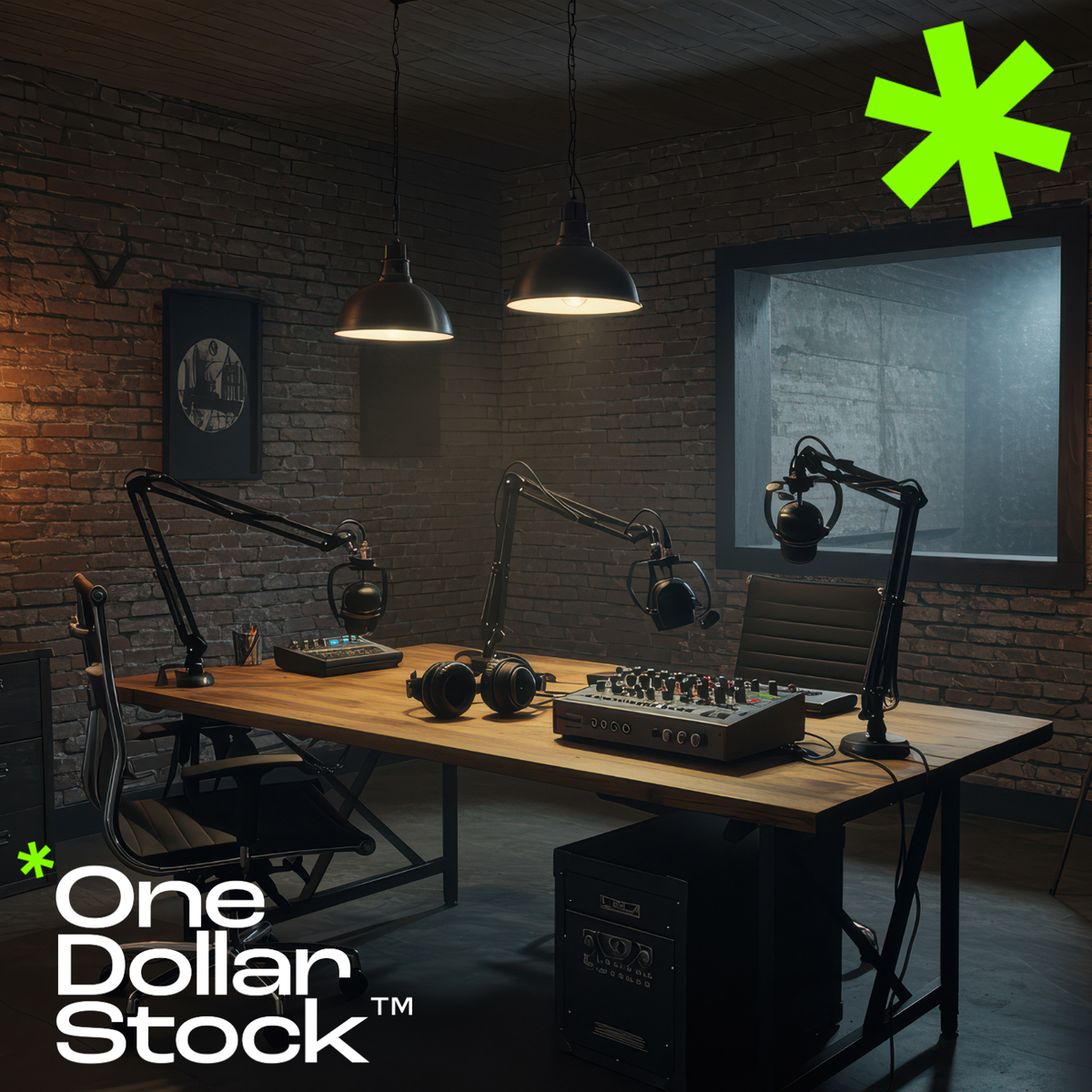
Stock images for podcasters and video creators
If you’re a podcaster or video creator, your visuals matter just as much as your voice. Strong images help you attract new listeners and viewers, promote your content across platforms, and build a cohesive brand. In this article, we’ll show you how to use premium stock images from One Dollar Stock™ to elevate your podcast and video content. Why podcasters and video creators need great stock images Even if your content is audio-first or video-heavy, visual presentation drives engagement: Podcast cover art is critical for discovery on directories Thumbnails drive video click-through rates on platforms like YouTube Social media promotions rely on standout images Visual consistency helps build brand recognition Top use cases for stock images in podcasting and video 1. Podcast cover art Your cover image is your podcast’s visual identity. Use premium stock images to: Establish tone and style Attract your ideal audience Stand out in crowded podcast directories 2. Video thumbnails On YouTube and other video platforms, thumbnails are everything. High-converting thumbnails often feature: Compelling faces and emotions Bold backgrounds Contrasting text overlays Mix people images with abstract backgrounds to create eye-catching video covers. 3. Social media promotions Promote your podcast or videos on Instagram, Facebook, LinkedIn, and TikTok with curated visuals: Quote graphics featuring AI stock images Episode announcements with engaging visuals Behind-the-scenes posts using lifestyle people stock images 4. Branded backgrounds for video intros and outros Use abstract stock images and subtle textures as backgrounds for: Video intro sequences Outro screens with CTAs Lower-thirds and overlay elements Best practices for using stock images in audio and video content Maintain visual consistency across images used on covers, thumbnails, and social media Choose images that reinforce your brand identity and message Always check that your license covers intended use Test different images to see which drive the highest engagement and clicks Why use One Dollar Stock™? At One Dollar Stock™, we make it easy for podcasters and video creators to find: Affordable premium stock images (from just $1) Curated visuals with consistent quality AI-generated images perfect for modern, trend-driven content Clear licenses that cover your promotional and commercial needs Level up your audio and video brand Don’t let poor visuals hold back great content. With premium stock images from One Dollar Stock™, you can build a visual presence that matches your audio or video brand and helps you attract more listeners, viewers, and fans.

How to build a personal brand with stock images
In the digital world, your personal brand is often defined visually, before you say a word. Whether you’re a creator, entrepreneur, consultant, or influencer, consistent, well-chosen visuals can strengthen your personal brand and build trust with your audience. In this article, we’ll show how to use premium stock images from One Dollar Stock™ to craft a personal brand that stands out. Why visuals are essential for personal branding First impressions online are often visual: Website visitors form opinions in seconds based on imagery Social media feeds are dominated by visuals Consistent visuals build brand recognition and trust By using premium stock images strategically, you can: Enhance the professionalism of your personal brand Communicate your personality and values visually Maintain a consistent look across all channels Key areas where visual branding matters 1. Website and blog Your website is your home base. Use people stock images to humanize your site and abstract images for stylish backgrounds and accents. Tips: Choose a consistent color palette Use images that match your tone (professional, approachable, creative, etc.) Keep image styles consistent across pages 2. Social media On social platforms, visuals are your brand. Use premium stock images to: Create branded quote graphics Design stylish post templates Enhance Reels and Stories with AI visuals and abstract backgrounds Visual consistency builds brand recognition and helps you stand out in the feed. 3. Content marketing Visuals can elevate: Blog posts Lead magnets (guides, e-books) Newsletter designs Use AI stock images and people images to add personality and emotion to your content. 4. Personal brand merch and products Launching merch or digital products? The Creator Commerce License lets you use One Dollar Stock™ images legally in products for sale like: Branded apparel and prints E-books and templates Digital courses and downloads How to choose the right stock images for your personal brand Ask yourself: What 3 words describe my personal brand? (e.g. bold, minimalist, warm) What emotions do I want my visuals to evoke? Who is my ideal audience - and what visuals will resonate with them? Then browse: People stock images for connection and authenticity Abstract images for style and modernity AI stock images for uniqueness and visual edge Build a visual brand that connects Your personal brand deserves visuals that inspire trust, reflect your personality, and connect with your audience. With premium stock images from One Dollar Stock™, you can build a distinctive personal brand - affordably and legally.

