


The Smartest Social Media Strategy for Small Garden Centers
The Smartest Social Media Strategy for Small Garden Centers Most small garden centers have the same problem on social media: they post when they remember, they photograph whatever is closest to the register, and they wonder why their follower count stays flat while their spring inventory sells out before anyone online even knew it arrived. Social media for a garden center is not about posting more. It is about posting smarter, with a seasonal rhythm, a consistent visual style, and content that actually helps your customers make decisions. The right strategy, paired with strong garden stock photos and nature presets, can turn your Instagram or Facebook page into a genuine sales channel rather than an afterthought. Why Seasonal Content Is the Core of Any Garden Center Social Media Strategy A garden center's entire business model is built around seasonality, and your social media content should reflect that with the same precision you apply to your buying calendar. The mistake most small garden centers make is treating social media as reactive rather than planned. By the time the tulip bulbs are in and looking beautiful, you have already missed two weeks of pre-season content that could have driven customers to your door on opening day. The most effective garden center social media strategies work four to six weeks ahead of the season, teasing what is coming, educating customers on timing and planting windows, and building anticipation before the inventory even arrives. That kind of forward-looking content does not require a big production budget. It requires a plan and a consistent visual style that makes every post feel like it belongs to the same brand. Before-and-After Garden Posts: The Highest-Engagement Format for Garden Centers If there is one content format that consistently outperforms everything else for garden centers on social media, it is the before-and-after. A bare patch of soil transformed into a thriving perennial border. A neglected front yard turned into a cottage garden. A plain concrete patio surrounded by container plantings that make it feel like a private courtyard. These posts work because they answer the question every customer is silently asking: what could my space look like? They also demonstrate expertise in a way that a product photo never can. You do not need a professional photographer to pull this off. You need a consistent editing style so the before and after images feel like they belong together, and you need to shoot both in similar light conditions. A good set of garden-specific Lightroom presets applied consistently across both images makes a significant difference in how polished the final post looks. How to Use Gardening Tips and Educational Content to Drive Foot Traffic The garden centers that build the most loyal social media followings are the ones that teach, not just sell. A post explaining the difference between determinate and indeterminate tomatoes, a short video on how to deadhead roses correctly, a graphic showing which perennials thrive in full shade: this kind of content positions your team as the local experts and gives customers a reason to follow you year-round, not just during peak season. It also drives foot traffic in a very direct way. When a customer reads your post about dividing hostas in early fall and realizes they have a clump that needs splitting, they are going to come to you for advice and supplies. Educational content is not a soft brand play. For a garden center, it is a direct sales tool. Garden Center Instagram Aesthetics: How to Make Your Feed Look Cohesive A garden center has a natural visual advantage over most small businesses: the product is inherently beautiful. The challenge is making sure that beauty translates consistently across your social media feed rather than looking like a random collection of phone snapshots taken in different lighting conditions. The fix is simpler than most garden center owners expect. Shoot in consistent light, ideally early morning or late afternoon when natural light is soft and warm. Apply the same editing preset to every image so the colors, contrast, and tone feel unified. And vary your subjects deliberately: close-up flower details, wide shots of display areas, lifestyle images of people enjoying finished gardens, and product-focused shots of new arrivals. That mix keeps the feed visually interesting while maintaining a consistent brand feel. The Gardens Presets from OneDollarStock are built specifically for this kind of outdoor plant and garden photography, with tones that make greens look rich and flowers look vivid without looking oversaturated. Using Stock Garden Photography to Fill Your Content Calendar Between Seasons Late winter is the hardest time of year for a garden center's social media. The inventory is sparse, the outdoor displays are bare, and there is not much to photograph. But your customers are already dreaming about spring, browsing seed catalogs, and planning their gardens. This is exactly when consistent, high-quality content matters most, and exactly when most garden centers go quiet. Filling that gap with carefully chosen garden and nature stock photography keeps your feed active and your brand visible during the off-season without requiring a photo shoot in February. The key is choosing images that match your brand's visual style and feel specific rather than generic: a close-up of pink camellia blooms, a dewy morning garden scene, a beautifully lit flower detail that makes a follower stop scrolling and think about spring. Botanical Presets and Nature Editing Styles That Work for Garden Center Content Not all Lightroom presets work well for garden and plant photography. Presets designed for portraits or urban photography tend to flatten greens, shift flower colors in unflattering directions, and add contrast that makes outdoor scenes look harsh rather than inviting. For garden center content, you want presets that preserve the natural vibrancy of plant colors, add warmth without going orange, and handle the wide tonal range of an outdoor scene without blowing out highlights or crushing shadows. The Botanical Presets from OneDollarStock are designed with exactly this kind of plant-forward photography in mind, making them a practical tool for any garden center owner who wants their photos to look consistently polished without spending hours editing each image individually. DIY Garden Content and Inspiration Posts That Convert Browsers Into Buyers DIY and inspiration content is one of the most shareable formats on social media for garden centers, and one of the most underused. A post showing three ways to style a container planting for a shaded porch, a simple guide to building a raised bed from reclaimed wood, or a mood board of a cottage garden color palette for the coming season: these posts get saved, shared, and returned to. They also create a very natural path to purchase. A customer who saves your container planting inspiration post is going to come to your center to buy the plants, the soil, and the pot. The content did the selling before they ever walked through the door. Pairing this kind of inspiration content with strong, editorial-quality imagery, whether from your own shoots or from a curated stock library, makes the posts more likely to be saved and shared, which extends your reach without any additional ad spend. Build a Visual Asset Library for Your Garden Center Marketing The garden centers that show up consistently on social media are not the ones with the biggest teams. They are the ones with a system. That means a defined visual style, a small library of on-brand stock images for content gaps, a preset pack that unifies all their photography, and a content calendar that maps to the growing season rather than reacting to it. Building that library does not require a large investment. OneDollarStock's pay-once, use-forever model means you can acquire a set of garden presets, a collection of botanical and outdoor stock photos, and a handful of lifestyle images for a fraction of what a single professional photo shoot would cost. Browse the full nature and garden asset library to find photography, presets, and visual content that fits your garden center's brand and seasonal content needs. Final Thoughts: A Social Media Strategy That Actually Grows Your Garden Center Social media works for small garden centers when it is treated as a seasonal business tool rather than a random posting habit. That means planning content ahead of the growing calendar, mixing educational posts with inspiration and product content, maintaining a consistent visual style across every platform, and filling content gaps with high-quality imagery that keeps your brand visible even when the outdoor displays are bare. The garden center owners who do this well are not spending more time on social media than their competitors. They are spending it more intentionally, with better visuals, a clearer strategy, and a content library that makes every post easier to produce. Start with one preset pack, one curated collection of garden stock photos, and one content calendar mapped to your next season. The results will follow.

Why Visual Content Strategy Requires More Marketing Visual Assets
A provocative analysis of why most brands struggle with asset quantity rather than quality, and how lack of visual scale limits testing and growth opportunities in modern marketing.

Build Once, Post Forever: The Creator Asset Stack
How to Build a Reusable Visual System for Content Creators Content creation doesn't have to mean starting from scratch every single day. The most successful creators understand that building a reusable visual system saves time, maintains brand consistency, and eliminates the daily scramble for fresh content. This tutorial breaks down how to create your own creator asset stack that works for you long-term. What Is a Creator Asset Stack? A creator asset stack is your personal library of reusable visual elements, templates, presets, and content frameworks that you can mix and match to produce consistent, high-quality content quickly. Instead of reinventing the wheel with every post, you're building a system that scales with your content needs. Step 1: Define Your Visual Identity Before building your asset stack, establish the core elements of your visual brand. Choose 3-5 primary colors, 2-3 fonts, and a consistent editing style. This foundation ensures everything you create feels cohesive, even when using different templates or formats. Document these choices in a simple style guide. Include hex codes for colors, font names and sizes, and notes about your preferred mood or tone. This reference becomes invaluable when you're creating content under deadline pressure. Step 2: Create Your Base Templates Start with the content formats you use most frequently. For most creators, this includes social media posts, video thumbnails, story templates, and email headers. Design 5-10 variations of each format that align with your visual identity. These templates should be flexible enough to accommodate different topics while maintaining your signature look. Leave space for text overlays, images, and other variable elements you'll swap out for each piece of content. Step 3: Build Your Preset Library Photo and video editing presets are game-changers for maintaining visual consistency. Create or acquire presets that match your brand aesthetic, then organize them by use case: portraits, products, landscapes, or indoor versus outdoor lighting conditions. Test your presets across different types of content to ensure they work in various scenarios. The goal is one-click editing that delivers consistent results without extensive manual adjustments. Step 4: Organize Your Asset Library A well-organized asset library is essential for efficiency. Create a folder structure that makes sense for your workflow: separate folders for templates, presets, stock photos, graphics, fonts, and any other resources you use regularly. Use consistent naming conventions so you can find what you need quickly. Include dates, project names, or descriptive keywords in file names. Cloud storage solutions ensure you can access your assets from any device. Step 5: Develop Content Frameworks Beyond visual assets, create frameworks for your actual content. Develop outlines for common video formats, blog post structures, or social media caption templates. These frameworks guide your creative process without restricting your unique voice. For example, a product review framework might include: hook, problem statement, solution overview, key features, demonstration, pros and cons, and call to action. Having this structure ready means you can focus on the content itself rather than figuring out the format each time. Step 6: Batch Create and Schedule With your asset stack in place, batch creation becomes significantly easier. Set aside dedicated time to create multiple pieces of content using your templates and presets. This approach is far more efficient than creating content one piece at a time. Schedule your batched content across your platforms using scheduling tools. This ensures consistent posting even during busy periods when you don't have time for daily content creation. Maintaining and Evolving Your Stack Your creator asset stack isn't static. Review and update it quarterly to keep your content fresh and aligned with current trends. Add new templates when you experiment with different formats, retire assets that no longer serve your brand, and refine presets based on what's working best. Track which assets get the most use and which gather digital dust. This data helps you understand what resonates with your audience and where to focus your creative energy. The goal is continuous improvement, not perfection from day one. The Long-Term Payoff Building a creator asset stack requires upfront investment, but the long-term benefits are substantial. You'll spend less time on repetitive tasks, maintain stronger brand consistency, and have more mental energy for strategic thinking and creative experimentation. Most importantly, you'll break free from the daily content treadmill. Instead of asking "What should I post today?" you'll have a system that supports sustainable, scalable content creation. That's the difference between burning out and building a lasting creator business.
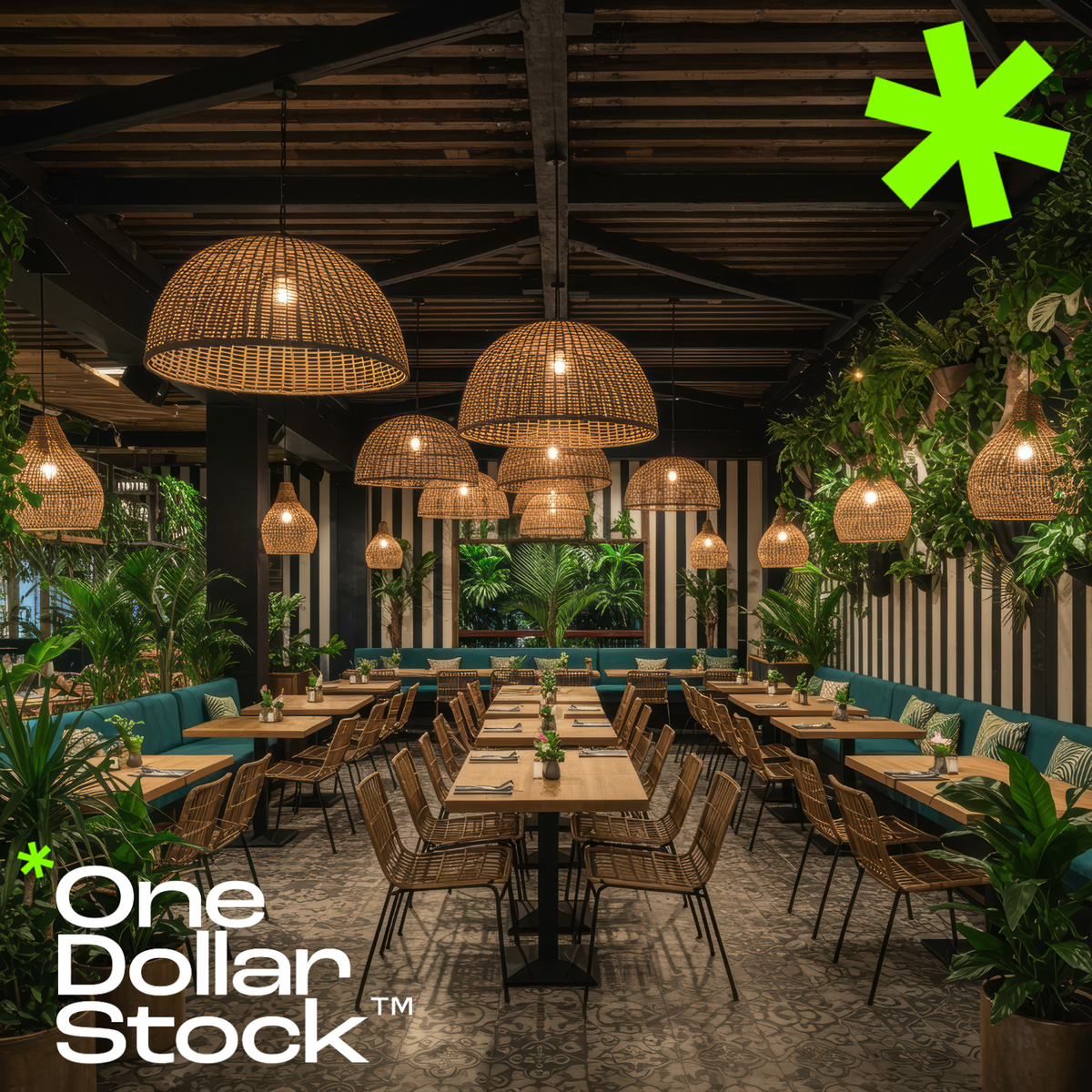
Boutique Restaurant Instagram Strategy: How to Build Pricing Power and Drive Reservations
Instagram is not a marketing channel for boutique restaurants. It is the primary mechanism through which perceived value is established, pricing power is justified, and reservation intent is triggered before a potential guest ever picks up the phone. Most independent restaurants treat Instagram as an afterthought - posting whatever the kitchen happens to be plating that day. This approach silently erodes brand equity and trains potential customers to scroll past without consideration. The boutique establishments filling tables consistently understand that Instagram functions as expectation-setting infrastructure, not content distribution. Why Most Boutique Restaurants Fail on Instagram The failure pattern is consistent: inconsistent visual quality, no coherent brand language, and content that prioritizes what the restaurant wants to say rather than what triggers reservation behavior. Instagram operates on pattern recognition. When your feed lacks visual consistency, the human brain categorizes your restaurant as unpredictable - a risk signal that suppresses booking intent. When image quality fluctuates between professional shots and poorly lit smartphone photos, you communicate operational inconsistency, which potential guests unconsciously project onto food quality and service reliability. Signature Dishes as Cognitive Anchors Every successful boutique restaurant has one to three signature items that function as mental shortcuts in the reservation decision process. These dishes become visual symbols that compress your entire value proposition into a single recognizable image. The psychological mechanism is availability bias: people overweight information that is easily recalled. When your signature dish appears repeatedly in high-quality contexts, it becomes the default mental reference when someone in your market thinks about dining out. Presentation architecture matters because dishes with vertical composition, strategic color contrast, and textural complexity photograph with higher information density, which increases memorability and shareability. Document your signature items with the same rigor you apply to recipe development. Multiple angles, varied lighting conditions, and seasonal variations give you a content library that maintains consistency while avoiding repetition. Professional gourmet steak photography can supplement your original content during gaps. Atmosphere as Value Signal Food photography attracts attention. Environmental photography establishes price tolerance and filters for ideal customers. Your interior, lighting, and spatial design communicate who your restaurant is for and what experience justifies your pricing. This is particularly critical for boutique establishments competing against chains with larger marketing budgets. Your competitive advantage is not reach - it is the ability to signal exclusivity, craft, and experience quality that justifies premium positioning. The strategic error most restaurants make is showing empty dining rooms, which triggers scarcity concerns and social proof deficits. Always include human presence to communicate vitality and desirability. Technical Execution: Where Amateur Content Destroys Perceived Value The gap between amateur and professional food photography is not aesthetic - it is economic. Poor lighting, weak composition, and inconsistent styling silently communicate lower operational standards, which directly impacts willingness to pay and reservation intent. Lighting is the primary variable that separates professional from amateur execution. Natural light remains optimal because it preserves color accuracy and creates soft shadows that suggest freshness and quality. Composition follows psychological principles: the rule of thirds places focal points where the eye naturally lands, while negative space prevents cognitive overload and allows the dish itself to dominate attention. Visual Consistency as Trust Infrastructure Brand recognition on Instagram is about whether someone can identify your content in a split-second scroll without reading a caption. Inconsistent visual presentation triggers the same psychological response as inconsistent service: uncertainty about what to expect, which increases perceived risk and suppresses booking behavior. The solution is systematic editing protocols - custom presets or professional editing workflows that maintain color balance, contrast ratios, and tonal characteristics across all content. Using food photography presets ensures every image maintains the same high-quality look and feel. Every inconsistent post dilutes brand equity. Every consistent post compounds it. Over months and years, this difference determines whether your Instagram presence is an asset that appreciates or a cost center that consumes resources. Strategic Timing and Urgency Mechanisms Strategic restaurants post when their audience is making dining decisions. Lunch decisions are made mid-morning between 10 AM and 12 PM. Dinner decisions cluster in mid-afternoon between 3 PM and 5 PM. Weekend dining decisions often happen Wednesday through Friday. Stories exploit loss aversion through their 24-hour lifespan. When viewers see limited-availability content - daily specials, last-minute openings, time-sensitive offers - the fear of missing out triggers faster decision-making. Reels operate through algorithmic distribution that reaches beyond your existing follower base. The content that performs best shows process and transformation: plating techniques, cooking methods, ingredient preparation. Seasonal Content and Temporal Scarcity Limited-time offerings exploit the psychological principle of scarcity: things that are temporarily available are perceived as more valuable than permanently available alternatives. Seasonal menus and special events create natural urgency that drives immediate reservation behavior. The execution error most restaurants make is announcing seasonal changes without visual evidence of why the new menu deserves attention. High-quality photography that shows the finished dishes in their best presentation triggers reservation intent. Plan seasonal content weeks in advance, shooting all menu items in a single professional session, then distributing that content strategically throughout the season. Conversion Architecture and Analytics Beautiful content that does not drive reservations is not marketing - it is expensive art. Use link-in-bio tools that create a mobile-optimized landing page with multiple conversion paths: direct reservation booking, menu viewing, location and hours, and contact options. Captions function as micro-sales copy. The strategic structure is: hook that captures attention, value proposition that explains why this matters, and clear call-to-action. Vague CTAs like "check us out" underperform specific, urgent directives like "Reserve your table for this weekend - limited availability." Most restaurants track the wrong Instagram metrics. Likes and comments are vanity metrics that correlate poorly with business outcomes. The metrics that matter are profile visits, website clicks, direct messages, and ultimately reservation volume and revenue per customer. A/B testing is not optional. Let your specific data guide decisions rather than industry generalizations. Instagram as Pricing Power Infrastructure The fundamental misunderstanding most boutique restaurants have about Instagram is treating it as a promotional channel rather than as the primary mechanism through which customer expectations are established and perceived value is determined. Before a potential guest ever walks through your door, they have formed detailed expectations based on your Instagram presence: what the food will look like, what the atmosphere will feel like, what level of service to expect, and whether the experience justifies your pricing. When the actual dining experience matches or exceeds these expectations, you generate satisfaction and positive word-of-mouth. When reality falls short of Instagram-established expectations, you create disappointment regardless of objective quality. This is why visual consistency and authentic representation are operational imperatives that determine customer satisfaction. The restaurants that win on Instagram show their restaurant at its best while maintaining authentic representation that the actual experience can consistently deliver. This approach builds trust, which allows you to maintain premium pricing, reduces price sensitivity, increases customer lifetime value, and generates referrals that compound over time. Instagram is not about content creation. It is about building perceptual infrastructure that determines how your market values your restaurant before they ever experience it directly. The question is whether you will do it systematically and professionally, or allow inconsistent execution to silently erode the pricing power that determines your restaurant's long-term profitability.

