


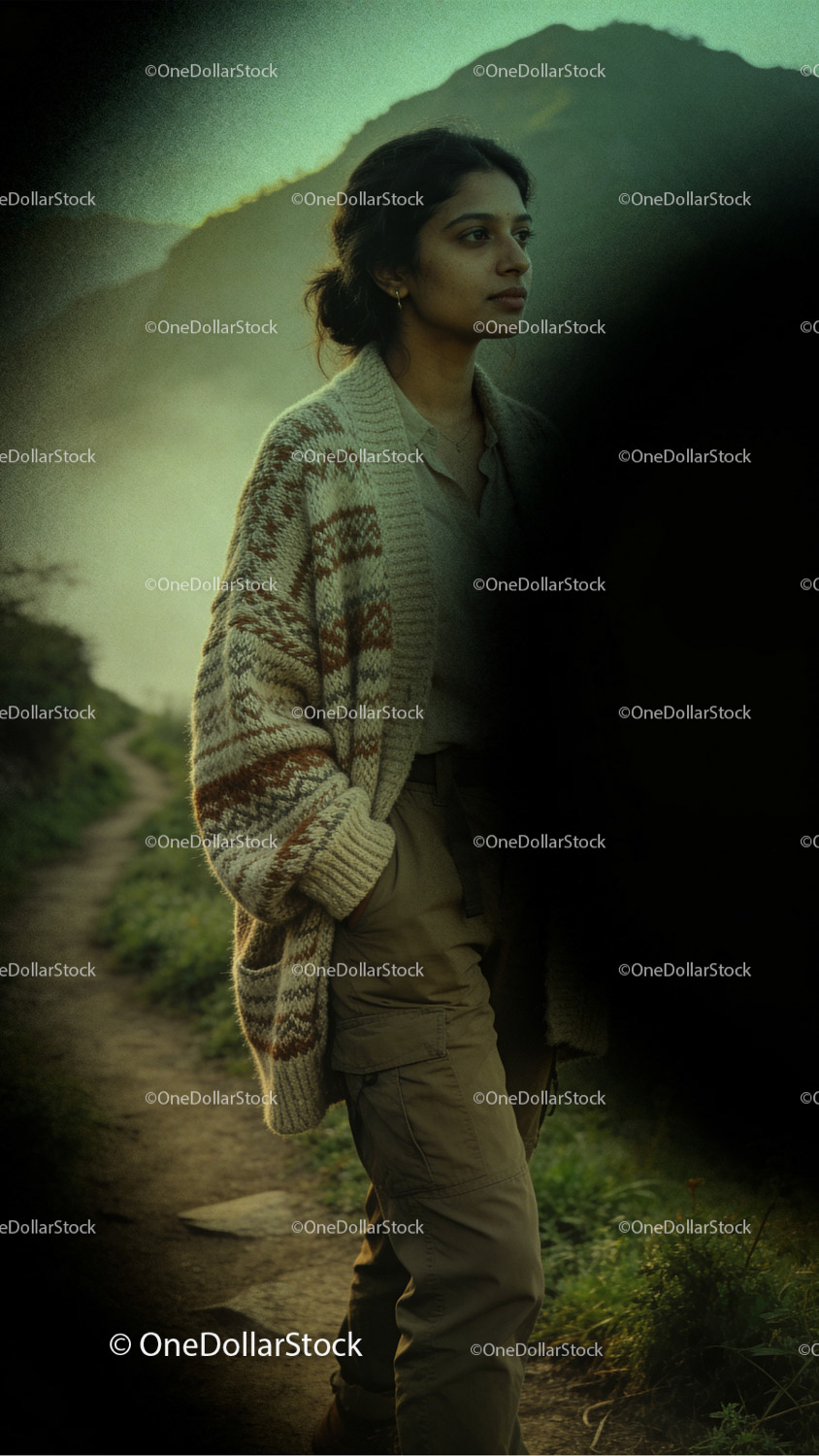


Zielona Zaćmienie Overlaye (16 plików JPG)
Cena regularna
41,94 PLN
Cena sprzedaży
41,94 PLN
We accept

We offer four license types:
- Personal Use – for private and non-commercial use (your blog, wallpaper, moodboard, private social media posts). No business use, no client work, no resale or redistribute purchased file itself of any kind.
- Commercial Use – for business or commercial projects (e.g. websites, ads), but not for resale products like merch or prints. No merch, templates, prints. No resale or redistribute purchased file itself of any kind.
- Creator Commerce Use – for creators selling products that use the image (e.g. merch, digital templates, posters, ebooks). No resale or redistribute purchased file itself of any kind.
- Corporation Use – for larger companies (50+ employees). Still no resale or redistribute purchased file itself of any kind.
Important: No license allows you to resell or redistribute the image as a standalone file — modified or not. That includes uploading it to other marketplaces, using it in stock platforms, or sharing it in free/premium download packs.
You can read the full license terms here.
To fully utilize overlays potential you need to have access to editing program with blending mode just like Adobe Photoshop.
1. Open the photo you want to enhance in Adobe Photoshop.
2. Find downloaded overlays folder on your computer, choose one you want to use and simply drag it on to your Photoshop workspace. It should be added as a new layer on top of your photo.
3. Adjust overlay size to your image, select it and choose blending mode (it’s in „Layers” tab). We strongly recommend trying different blending modes, because for every photo and overlay combination, different modes works the best. So far the ones we are using the most are „Multiply”, „Lighten”, „Screen” and „Overlay”.
You will receive a ZIP file containing high-quality JPG 4K+ files with overlays designed to instantly transform the visual style of photos. Perfect for photographers, designers, social media creators, and digital artists, overlays provide a fast and powerful way to elevate images and create distinctive aesthetics across campaigns, editorial visuals, and creative projects.
Sprzedawca:
One Dollar Stock
Udostępnij


Pakiet
0
BUY 2, GET 1 FREE
Wybierz produkt
Wybierz produkt
Wybierz produkt


